






My Cart (0)
Table of Contents


ASA is a popular filament for 3D printing because it offers superior properties. This material offers excellent UV, water and chemical resistance and performs well in more demanding environments. Printing with ASA filament can be difficult if you are a beginner or have never encountered this material before. If so, we invite you to read this blog, where we will discuss in detail how to print ASA.
ASA characteristics
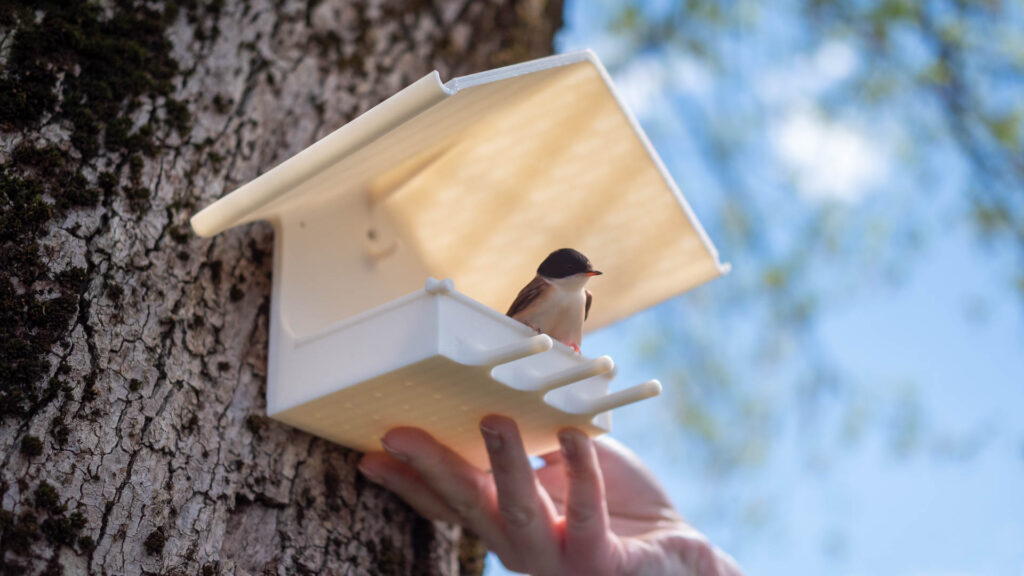
ASA is a thermoplastic that combines the strength and durability of ABS with improved UV and weather resistance, making it an excellent choice for outdoor applications such as automotive parts, garden equipment, and functional prototypes.
Key ASA printing settings and tips
Use an enclosed printer
ASA is very sensitive to temperature fluctuations and can warp or pop due to them. That is why it is always a good idea to use an enclosed printer. This will help you maintain a consistent temperature and reduce the risk of deformation.
Important: When printing with this material, it is crucial to use an enclosed printer with good ventilation, as the fumes from heating can be potentially dangerous to your health.

Bed adhesion is crucial for ASA 3D printing
Proper bed adhesion is essential for successful ASA prints:
- Bed temperature: Set the bed temperature between 90°C and 120°C.
- Build surface: Glass plate, PEI plate, with a layer of adhesive work well for ASA.
- Adhesives: Use 3Dlac spray adhesive, hairspray, or contact adhesive like Magigoo.
Optimize nozzle temperature
ASA typically prints best at nozzle temperatures between 240°C and 260°C. The exact temperature depends on the printer model. We recommend starting at 240°C and adjusting as needed.
Control cooling
Unlike PLA, ASA does not require much cooling. Overcooling can cause warping and poor layer adhesion. For the first few layers, we recommend setting the fan to 20-30% for partial cooling or turning it off completely.
Advanced tips for better ASA prints
Use a brim or raft
To further prevent warping, consider using a brim or raft. A brim adds a few extra layers around the base of your print, while a raft creates a foundation layer. Both techniques help improve bed adhesion and reduce warping.
Dry your filament
ASA is hygroscopic, meaning it absorbs moisture from the air. Wet filament can lead to poor print quality, including stringing and bubbles. Store your ASA filament in a dry box or dry it before use using a filament dryer or a food dehydrator at 50°C for 4-6 hours.
Adjust print speed
Printing too fast can cause issues like poor layer adhesion and warping. Slow down the first layer to ensure proper adhesion. To be safe, you can always choose AzureFilm ASA because it is high-speed and allows flawless printing at speeds around 350mm/s.
Post-processing
Most 3D printing materials can be processed very well and achieve exceptional results. ASA prints can be easily sanded, painted or smoothed with acetone. Use a vapour bath to smooth it with acetone. Since the process is not the easiest, we recommend that you watch the video below, where we tested the post-processing of 4 different materials, including ASA.
Final thoughts
Learning how to print ASA successfully requires attention to detail and a willingness to experiment with settings. By using an enclosed printer, optimizing bed adhesion, controlling cooling, and drying your filament, you can achieve high-quality ASA prints that are durable and weather-resistant. Whether you’re creating functional prototypes or outdoor parts, ASA is a versatile filament that delivers excellent results when printed correctly.
Share


 Previous post

