



3D printer parts: Essential components and functions
FDM printing is one of the most popular 3D printing methods available, challenging and inspiring millions of creative minds to produce captivating 3D models and driving innovation across industries such as healthcare and aerospace. In this article, we will discuss different 3D printer parts and how they function. We will also break down how you can increase the functionality of your printer and optimize your 3D prints.
Introduction to 3D Printer Parts
Beginners often struggle to produce quality 3D prints because they are yet to familiarise themselves with 3D printer parts. Better knowledge of these parts helps with the troubleshooting process, which is important for producing high-quality models.
Understanding how to properly level the print bed helps achieve better bed adhesion, eliminating the chances of print failure. Likewise, knowledge about extruders, stepper motors, and the hotend helps you figure out the precise settings needed to produce fine 3D prints. Your electronics and firmware expertise allows you to fine-tune, customise, and upgrade the printer’s performance.
Here, we have separated 3D printer parts into four categories, which we will discuss in detail throughout the article.
- Mainboard
- Axes
- Heating Elements
- Additional Features
Mainboard
The Central Control: Mainboard Explained
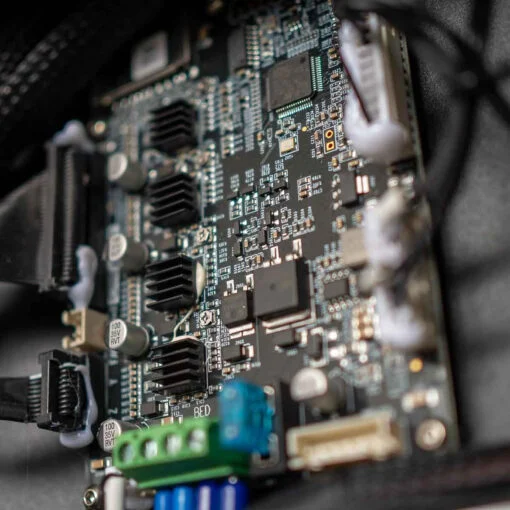
The central control is the core hub of a 3D printer. It is connected to all the electrical components of a 3D printer. Some of the chief parts of the control board include:
Processor
It works to convert software code into a set of instructions that the printer can understand. These processors tend to be either 8-bit or 32-bit. Some motherboards are designed to consume less power and work effectively without making annoying noise, such as the Creality CR-200B Silent Motherboard.
Connectors
This is where all the electronic 3D printer parts are connected, either in the form of DuPont connectors, terminal blocks, or USB.
Stepper Drivers
A regular 3D printer has four stepper drivers — one for the filament extruder and the remaining three for the X, Y, and Z axes. They regulate power and distribute it to different coils in a stepper motor, allowing the motors to rotate.
Communications
Your commands need to be transformed into G-code and then fed to the printer so it can follow them. You can send this program via an SD card or over Wi-Fi.
Firmware and Instructions
Firmware is responsible for overseeing the operational aspects of a printer and managing its different components throughout the printing process. It acts as an intermediary between the slicer software and the printer hardware, sending G-code from the former to the latter.
Firmware manages the following critical functions:
Movements of Stepper Motors
Firmware interprets the instructions provided through G-code and manages the stepper motors movements of the X, Y, and Z axes.
Temperature Regulation
To get quality prints, you have to print at the right temperature. Firmware controls the temperature of the hotend and the heated plate. This way, the extruder melts the filament properly.
Bed Levelling
For better filament adhesion, you must make sure that the build plate is levelled correctly. Firmware also has a role in this respect, as it enables both manual and auto-levelling features. However, not all 3D printers come with an auto-levelling feature, so many users find this somewhat troublesome. In that case, you can get an auto bed levelling kit to avoid certain issues.
Cooling Fans
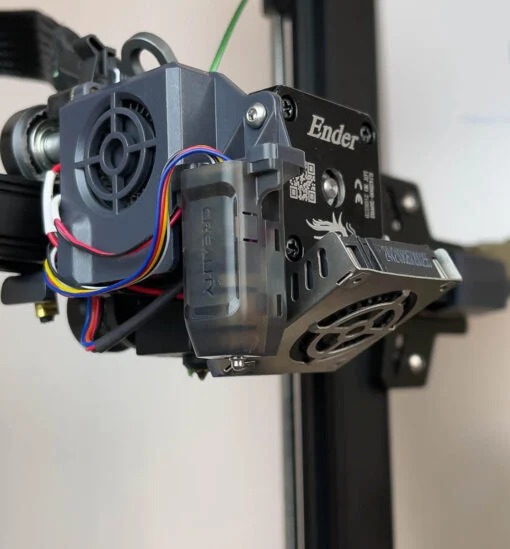
Firmware regulates the cooling fans so the print layers can cool down evenly, lowering the risk of warping.
Safety Features
Firmware also facilitates end-stop detection and thermal runaway protection.
Significance of a Properly Functioning Mainboard
The mainboard is where all the important operations are processed. A properly functioning mainboard ensures the right motor movements and proper implementation of G-code, lowers print failure, and ensures a safe environment for printing. It increases print quality, incorporates safety features, and allows firmware updates. Through this, users can customise certain features and optimise settings, allowing them to explore the full potential of their printer.
Axes
Understanding the Various Axes in a 3D Printer
X, Y, and Z are the axes a 3D printer mainly works in. The X-axis controls horizontal movement from side to side, whereas the Y-axis represents movement from front to back. The Z-axis enables vertical movement, allowing the nozzle or build plate to move upward and downward as the model is printed layer by layer.
It’s really important to understand the operating mechanism of the axes to fully comprehend how the printer works. This helps you readjust your design, calibrate the set parameters, and learn proper maintenance to optimise print quality.
Extruders: Moving, Loading, and Extruding Filament
This is where the inserted filament is fed and melted before being extruded in layers to build an object. It has several components that load and move the filament towards the hotend for extrusion. The following are the main 3D printer parts of the extruder:
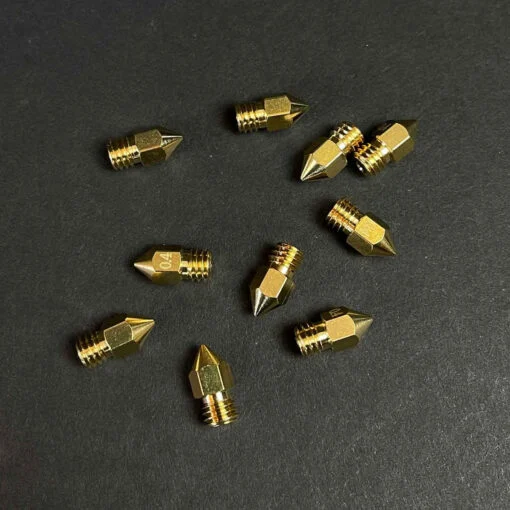
Nozzle: It is a tiny opening from which the melted filament is extruded. These nozzles come in different sizes, and depending on the size, print resolution and print speed can vary.
Heater Block: The heating element in the heater block properly melts the inserted filament.
Heat Break: As the name suggests, this component prevents heat from travelling upward. This 3D printer part resides between the cold end and the heater block. Because of this part, the filament is less likely to clog.
Cold End: You may also know it as a filament feeder, as it carries the filament to the hotend while keeping consistent pressure on the filament for smoother extrusion.
Stepper Motor: This 3D printer part transfers the filament through the extruder assembly in a precise way.
Cooling Fan: Your printer extruder may have cooling fans to cool down the newly extruded filament layers evenly and protect them from warping.
X, Y, and Z Axes: Shaping the Printed Model
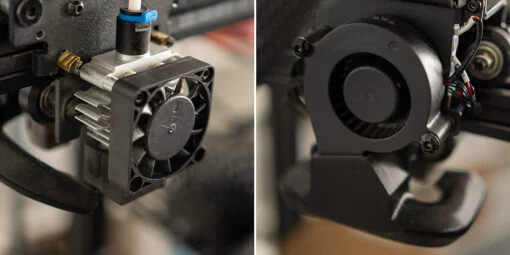
As mentioned, the X-axis moves from right to left and left to right. It controls the build plate or the print head along the X-direction, depending on the printer type. If the print head moves to the right part of the model, it prints that part, and the same applies to the left side.
The Y-axis is responsible for the horizontal movement of the print head, shifting from the back to the front and vice versa. Thus, when the print head moves to the front, it prints the front part of the model, and the same happens for the back part.
The Z-axis controls the height of the model as it regulates the up-and-down movement of the print head or build plate. Because of this vertical movement, the nozzle deposits layer after layer of molten filament to give the print its desired height.
As the three axes move in different directions, they print different sides of the model, bringing forth the shape you were looking for. Depending on the digital design of the print and the coded instructions, the printer moves its X, Y, and Z axes while the nozzle extrudes melted filament in precise layers to form the printed model.
Driver Boards: Interpreting Instructions and Motor Control
The role of driver boards is to interpret motor signals and commands so they can be relayed to regulate the movements of the 3D printer parts or components. The interface of the driver boards takes in the G-code commands and controls motor movement accordingly.
They transform G-code instructions into electrical signals and transfer them to the stepper motors, which then regulate the supply of power to the motors, managing their position and rotation. They can work with limit switches, endstops, and encoders to micromanage precise movement and help prevent collisions.
Heating Elements
Key Heating Elements in a 3D Printer
Typically, a 3D printer has several key heating and temperature-control components. The hotend is one of the primary heating elements, where the heating block and nozzle work together to melt the filament. The second is the heated bed, which keeps the print surface warm so filament layers attach properly to the bed, preventing the risk of warping. A heatbed thermistor is another important component. It is a temperature sensor that monitors the print surface temperature so it can be adjusted when needed.
The fourth is a high-wattage heating component called a heater cartridge. It is a hotend component that melts filament. The heat break keeps the hot area of the hotend separated from the cold end.
The Bed: Preheating and Maintaining Temperature
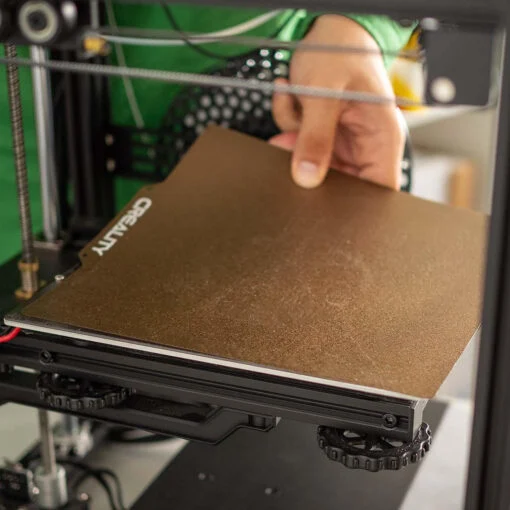
Some of the best print bed materials tend to be PEI, borosilicate, carborundum glass, or magnetic flex plates because of their better print removal and remarkable adhesion, which lowers the risk of prints coming off the bed or warping.
Heating the print bed before printing and maintaining a certain temperature throughout the whole process is important. Filament sticks to a heated surface better, creating a strong foundation for the print. Maintaining a steady temperature during printing ensures one layer sticks to another properly. While some filaments don’t need a heated bed, most of them do. If the bed isn’t heated, filament layers cool down faster, leading to poor layer adhesion. This can end up deforming the print or causing layer separation, lowering the mechanical strength of the model.
The Hotend: Melting Filament for Extrusion
Depending on the filament, you need to set the appropriate extruder temperature. The hotend normally consists of a cartridge heater, a heating element, and a nozzle. The heating element increases the hotend temperature until the filament reaches its melting point. The extruder has two ends, one hot and one cold. You need to feed the filament through the cold end, which then carries it to the hotend for melting. The nozzle then extrudes this molten filament onto the print bed to build the print.
Tips for Selecting the Right Hotend
Consider the following tips when choosing the right hotend:
- Check if it is compatible with the printer you have.
- Check the temperature range of the hotend to ensure that it can melt the filament you work with.
- Based on your print requirements, choose the right size of nozzle.
- Check the heat-up time of the hotend, since rapid heat-up supports efficiency.
- Purchase from a renowned brand to get a long-lasting and durable hotend.
- Always read reviews about a product to ensure it performs as promised and is reliable.
Additional Features and Upgrades
Enhancing 3D Printer Functionality
By making some upgrades and changes, you can enhance the functionality of a 3D printer. For that, you can consider the following:
- To accelerate the performance of the printer, install high-grade stepper motors, print beds, and hotends.
- Update the firmware of the printer when available to enjoy new features.
- Add extra features such as a filament sensor, auto bed levelling sensor, and dual extrusion.
- Upgrade the printer’s cooling solution by adding more fans.
- Perform frequent calibration of the printer for better printing accuracy.
- Fine-tune the slicer settings to lower filament wastage and improve print quality and speed.
Unique Features of Certain Printers
Some 3D printers come with auto bed levelling, dual extrusion, or an enclosed print chamber. With a large build volume, some of them can print a larger model at once. A filament sensor is another useful feature that notifies you when you need to reload the filament. Wi-Fi connectivity and LCD touchscreens have also become fairly common features, allowing better control and an easier file-transfer experience.
Enclosures for Temperature Control
Even seasoned users can find it difficult to print with high-temperature filaments such as nylon, copolymer, PETG, and ABS because you have to maintain a certain temperature during printing for quality 3D prints. Otherwise, the print surface can become uneven, extrusion problems may arise, and other printing issues can occur. Using an enclosure helps maintain a consistent printing temperature, prevents temperature fluctuations, and protects the printer from dust and debris.

HEPA Filters for Particle Filtration
Working with filaments such as ABS can produce potentially harmful fumes and particles. HEPA filtration is one way to help filter particles produced during printing. It can capture very small particles and can be part of a broader air-filtration setup. HEPA filtration can improve the air circulation around a printer and help reduce exposure to airborne particles.
Frequently Asked Questions
What Are the Essential Components of a 3D Printer?
3D printer parts such as the print bed, hotend, mainboard, stepper motors, frame, and nozzle are some of the essential components of a 3D printer.
How Does the Mainboard Control the Printer’s Operations?
It regulates the printer’s operation by translating the G-code sent from the slicer into understandable commands for the printer to follow. The mainboard controls the fans, stepper motors, temperature, and other 3D printer parts so they act in an organised and accurate way.
How Do Heating Elements, Such as the Bed and Hotend, Work?
They work through electrical resistance, generating heat when electric current passes through the resistive material of the heating element. The heat in the hotend melts the filament, while a heated bed helps filament layers adhere better to the surface.
Can Different Nozzle Sizes Be Used for Different Printing Requirements?
Yes. Depending on your printing needs and design intricacy, you can use several nozzle sizes. A small nozzle provides finer details and better print resolution but takes more time, whereas a larger nozzle prints faster but can produce a rougher model exterior.
What Should You Consider When Selecting a Print Bed and Print Surface?
The things you should consider when selecting a print bed and print surface are filament compatibility, durability, adhesion, build volume of the printer, and ease of print removal.
The bottom line is that 3D printer parts have a crucial role to play in precision and functionality. Understanding how these parts work makes the printing process smoother, improves print quality, and lowers the occurrence of printing issues.


